
Reports
Building a report, printing or saving it as PDF, downloading CSV, and reading the shadow review and value report.
Tools › Reports turns the shield's records into reports you can share.
Building a report#
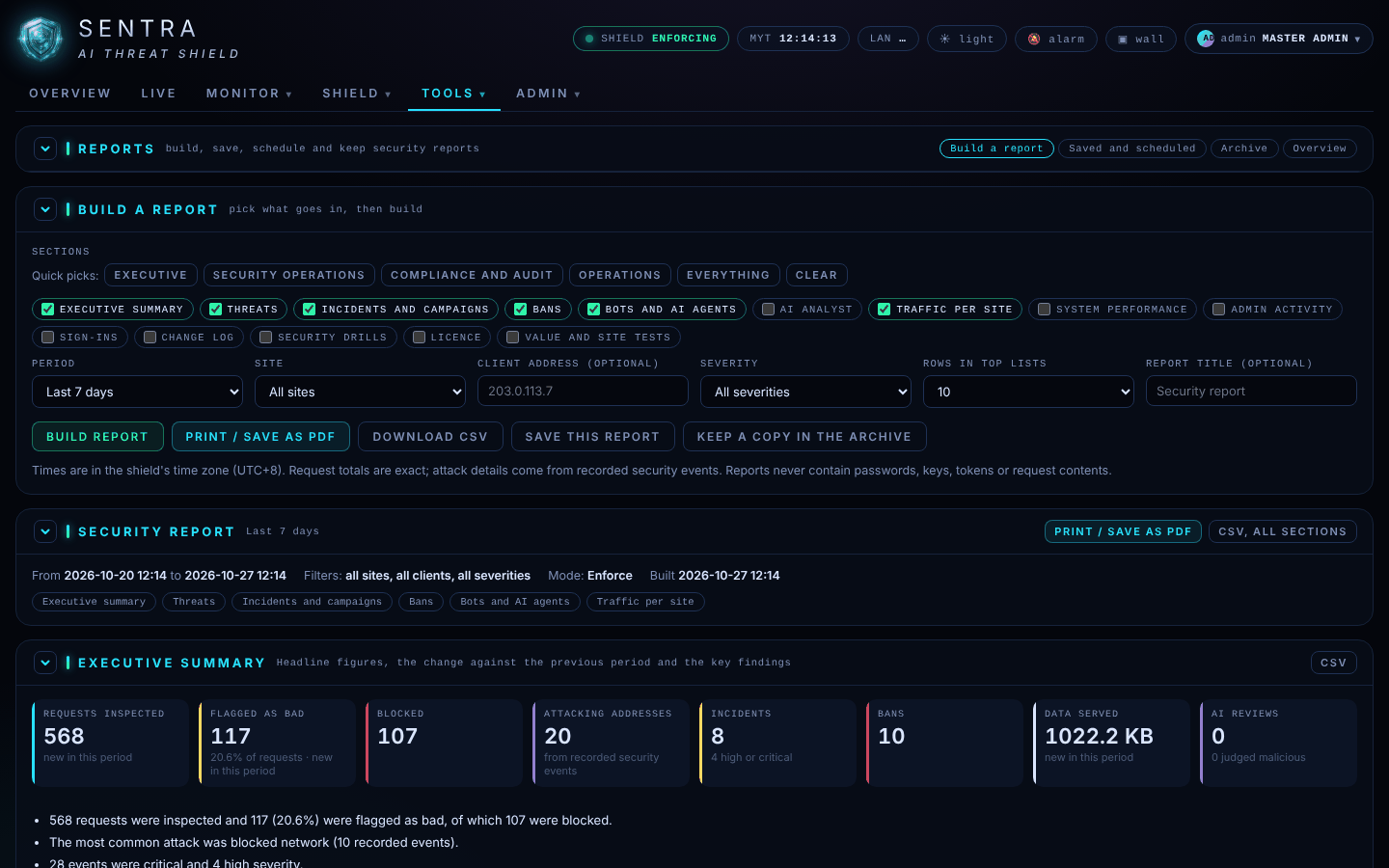
- On Build a report, choose the sections — or a quick pick: Executive, Security operations, Compliance and audit, Operations, Everything.
- Choose the Period (last 24 hours, 7 days, 30 days, this month, last month or a custom range), the website, and optionally one client address, a minimum severity and a title.
- Press Build report.
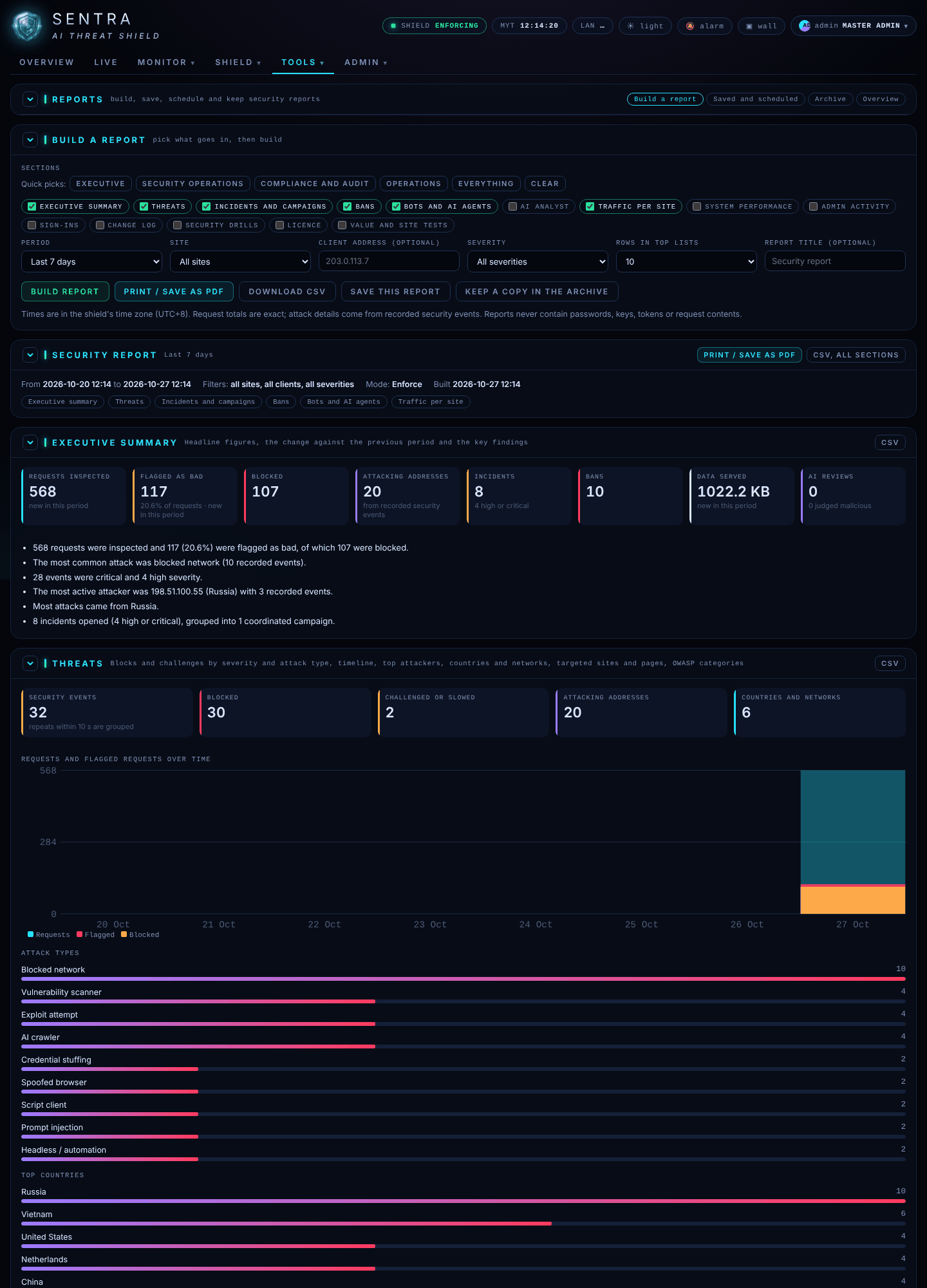
- Print / Save as PDF opens a print-ready page; use your browser's Save as PDF.
- Download CSV gives the data for a spreadsheet; each section also has its own CSV button.
Reports never contain passwords, keys, tokens or the content of requests. Times are in the shield's time zone.
For a monthly management meeting, use Executive with Last month. For the security team, use Security operations with Last 7 days.
Saving reports, schedules and e-mailing them are set up by your administrator; scheduled reports land in the Archive tab, where you can view and download them.
Shadow review#
On the Overview tab of Reports, Shadow review lists everyone the shield would have stopped (Monitor mode) or did stop, grouped by address and reason.

If you recognise a legitimate address — your payment provider, a partner, your own office — tell your administrator, who can trust it.
Value report#
An estimate of what the shield saved: bandwidth and server work not wasted on bad traffic, SMS/OTP abuse prevented, and staff time saved handling incidents. Every line shows its calculation. Open printable report gives a one-page summary for management.
