
Looking into an event
Finding decisions in the event log, filtering them, and reading one event's full record.
The event log#
Monitor › Events lists flagged requests, sign-ins and a sample of ordinary traffic, for the last 40 days.
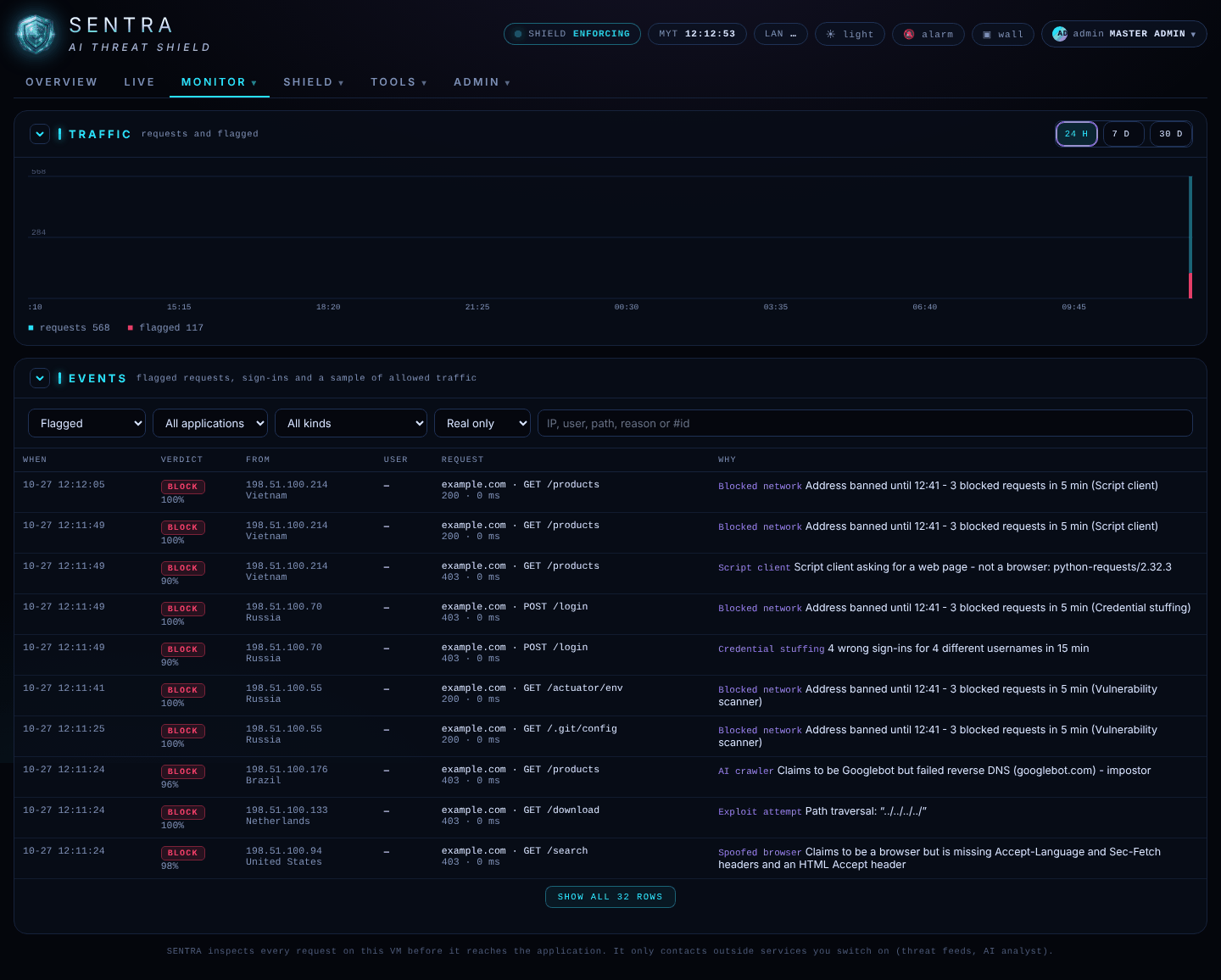
- The chart at the top shows requests and flagged requests over 24 H or 30 D.
- Filter by verdict (Block, Challenge, Allow), by website, by kind of attack, and by Real only / Real + drills / Drills only.
- Load more shows older events.
Monitor › Who lists every address seen in the last 30 minutes, riskiest first; click one to see its events. Monitor › Incidents groups related events into cases, with a timeline and the shield's assessment.
One event#
Click any event to open its record.
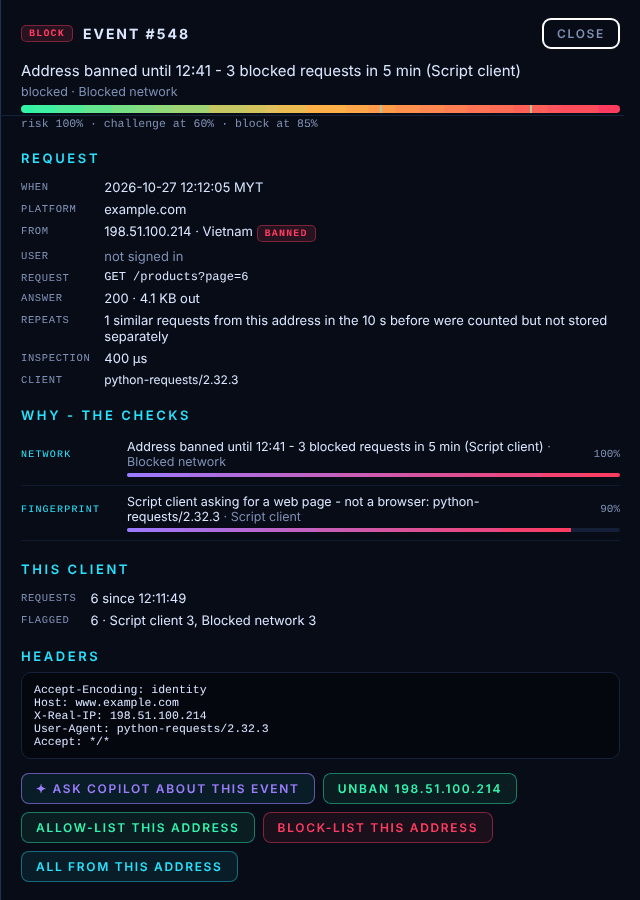
| Part | What it tells you |
|---|---|
| Top | The verdict, the reason in one sentence, and the risk compared with the challenge and block lines |
| Request | When, which website, from which address and country, whether the visitor was signed in, which page |
| Answer | What the shield or website sent back |
| Client | The program or browser that made the request |
| Why — the checks | Each finding, which check made it and how much it weighed |
| AI analyst | The AI's opinion, if it reviewed the request |
| This client | What the same address did recently |
| Headers / Body | The technical details (passwords are removed) |
All from this address shows every event from the same address.
A customer says they were blocked#
- Ask for the reference number on the "Request blocked" page, the time, and what they were doing.
- Find the event around that time (filter on Block, or search the address in Who).
- Read Why — the checks.
- Send your administrator the event number and the reason (see Asking for changes).