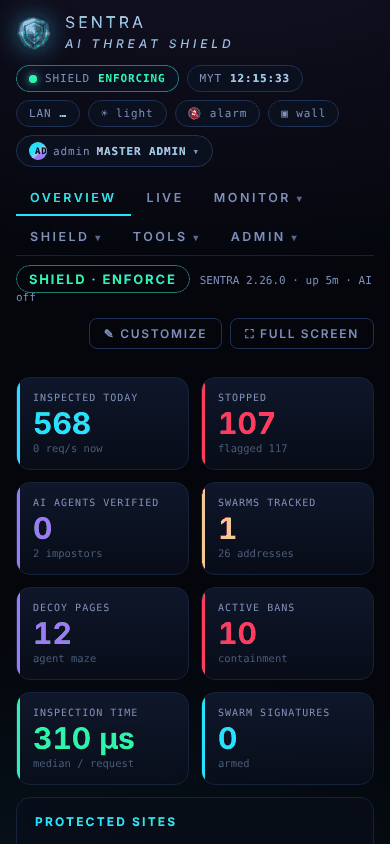
Reading the Overview
What each number on the Overview means, and how to arrange the board for yourself.
The Overview is the first page you see. It refreshes every few seconds.
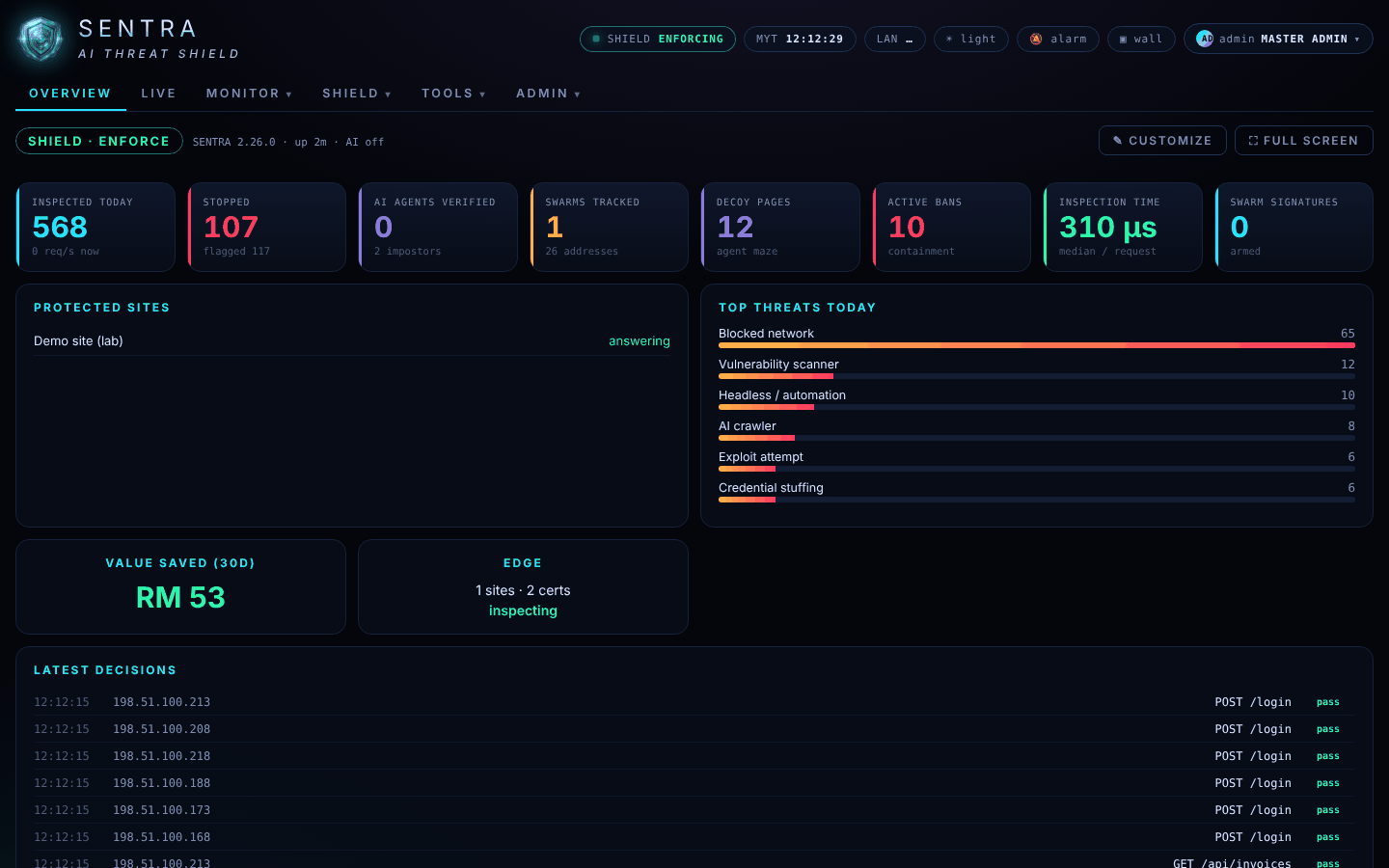
The line at the top says whether the shield is ENFORCE (stopping attacks) or MONITOR (only recording them while the website is being tuned).
The figures#
| Figure | What it tells you |
|---|---|
| Inspected today | How many requests the shield checked since midnight, and how many per second right now |
| Stopped (or Would stop in Monitor) | Requests stopped today, and how many looked suspicious |
| AI agents verified | Search engines and AI assistants that proved who they are, and impostors caught pretending |
| Swarms tracked | Groups of many addresses acting as one attacker |
| Decoy pages | Fake pages served to scrapers that kept coming back |
| Active bans | Addresses currently refused completely |
| Inspection time | How long the shield takes to decide — usually far less than a millisecond |
| Swarm signatures | Recognised attacker toolkits being stopped on sight |
| Protected sites | Your websites, and whether each one's server is answering |
| Top threats today | The kinds of attack seen today |
| Value saved (30d) | An estimate of the money the shield saved in the last 30 days |
| Latest decisions | The newest decisions: time, address, page, and pass, check or drop |
A high Stopped number is not bad news: it is the shield doing its job. Worry when Protected sites shows a site that is not answering, or when your administrator tells you about an incident.
Arranging your board#
Press ✎ Customize to make the board yours: drag widgets or use the arrows to reorder them, make them Wide or Narrow, hide them with ✕, or add hidden ones from Add widgets. Save keeps your layout for your account, on any computer. Reset to default returns to the standard board.
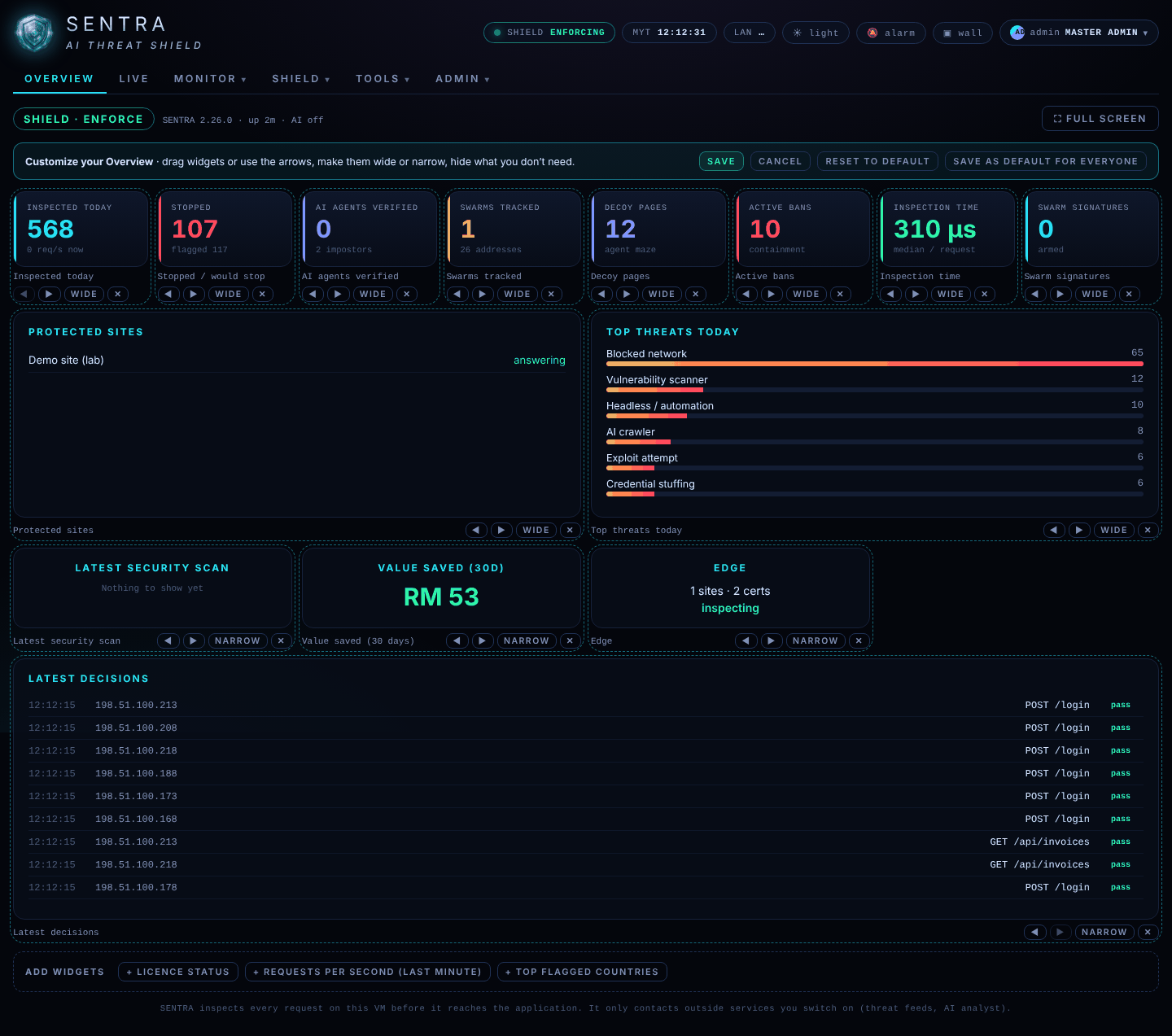
⛶ Full screen shows the board alone — handy on a meeting-room screen. Press Esc to leave.
On a phone the board stacks into one column: