
Family and office policies
The ready-made internet policies — Shariah Compliant, Child Safe and Child Safe strict — and how they can apply to everyone or only to some devices.
A policy decides what the people behind your SENTRA box may reach on the internet. Different devices can have different policies: the children's tablets Child Safe · strict, the office PCs Shariah Compliant, guests something else.
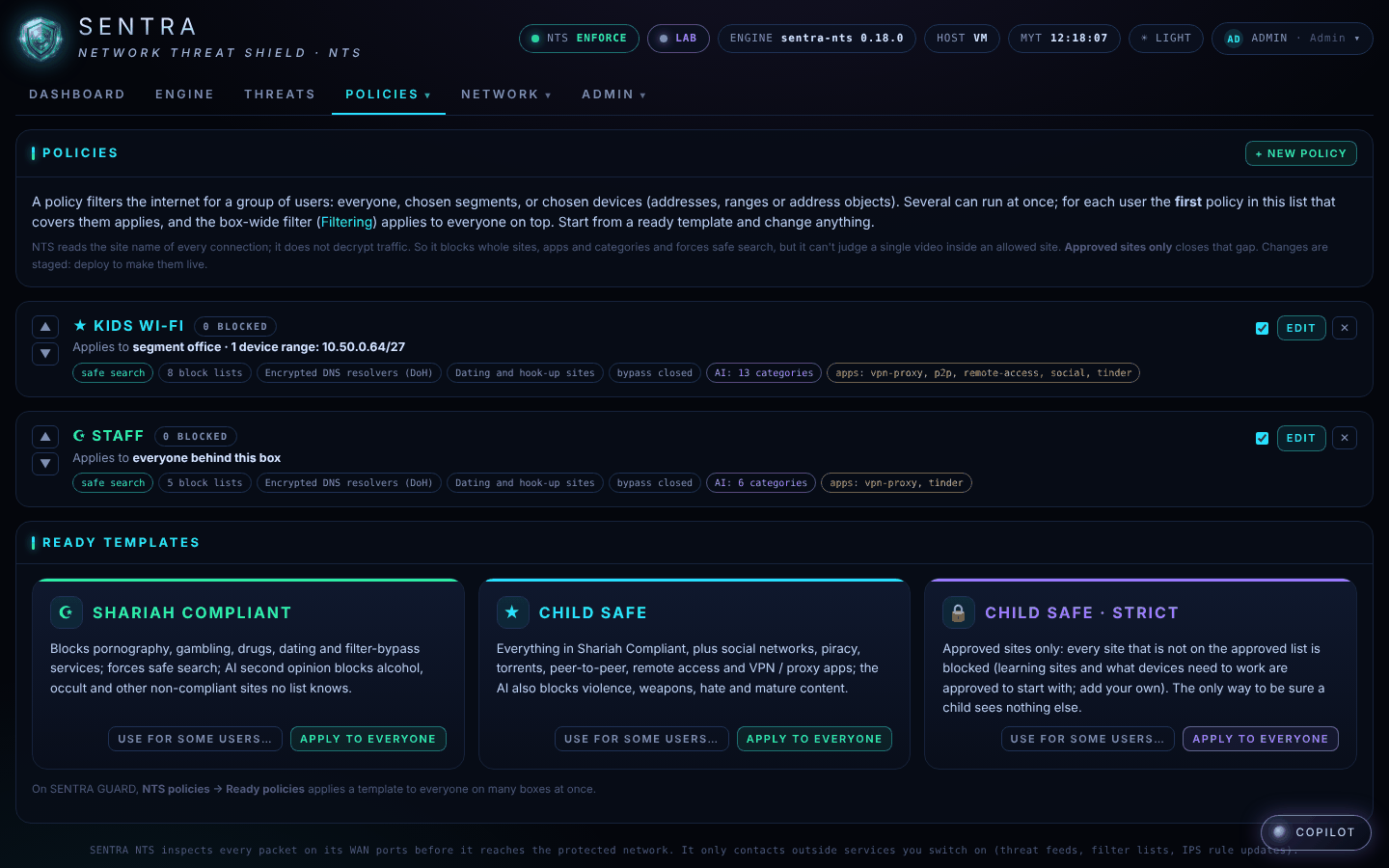
The ready-made policies#
| Policy | Good for | What it blocks |
|---|---|---|
| ☪ Shariah Compliant | Families and businesses | Pornography, gambling, drugs, dating, and ways to get around the filter. Forces safe search. The AI also blocks alcohol, occult and other non-compliant sites that no list knows yet |
| ★ Child Safe | Children and teenagers | Everything above, plus social networks, piracy, torrents, peer-to-peer, remote-access and VPN apps. The AI also blocks violence, weapons, hate and mature content |
| 🔒 Child Safe · strict | Young children | Approved sites only: everything that isn't on the approved list is blocked. Learning sites (Wikipedia, Khan Academy, Scratch, Duolingo, Britannica, Ministry of Education…) and what devices need to work are approved to start with |
Your provider can change any of these: add sites to block, approve more sites, block or allow apps.
Who a policy applies to#
A policy can apply to everyone behind the box, to one part of the network (for example the guest Wi-Fi), or to chosen devices. For device policies to follow the right devices, those devices should always get the same network address — your provider or IT person can set that up on the router.
Changing your policy#
Ask whoever manages your SENTRA box (your provider, or your IT person if they have an account). Changes take effect within a minute.