
Cabling an inline unit
Which port goes where, bridge versus routed layouts for homes and offices, and the management connection.
Every port on a SENTRA appliance has a role, printed on its label:
| Label | Role | Connect to |
|---|---|---|
| WAN | Faces the internet | The ISP modem / ONT, or the carrier's hand-off |
| LAN | Faces your network | Your router, firewall or switch |
| MGMT | Management | Your admin network (or the provider's management link) |
| other | Unused, or extra segments | As configured |
A WAN and a LAN port together form a segment. All traffic between them passes through NTS.
Layout 1 — Bridge (invisible in the line)#
  Internet ── ISP modem/ONT ──[WAN]  SENTRA  [LAN]── your router ── your devices
                                        [MGMT]── admin PC / provider link
- Nothing changes on your side: your router keeps its addresses and settings.
- Best for businesses with their own router or firewall, and for homes where the router must stay as it is.
- If the SENTRA software stops, the bridge keeps forwarding.
Layout 2 — Routed (SENTRA is the gateway)#
Internet ── ISP modem/ONT ──[WAN] SENTRA [LAN]── switch / Wi-Fi access point ── your devices
- SENTRA gives your network its gateway address and translates addresses (NAT).
- Adds port forwards, VPN for remote staff and a second internet line (multi-WAN).
- Best for small offices and homes without a firewall of their own.
Note
In routed mode the SENTRA unit is the gateway: if it has no power, the network has no internet until it is back (or bypassed).
Two internet lines#
On a routed segment, a second WAN link (another port) can take over when the first fails (failover) or share the load (balance).
Cables#
- Copper ports: Cat6 (or better) patch cables.
- SFP+ ports: the transceivers or direct-attach cables your carrier or switch requires.
- Label both ends — WAN and LAN swapped is the most common installation mistake.
Checking the cabling#
On the console's Network → Interfaces page every port shows its link and speed, and what it is used as.
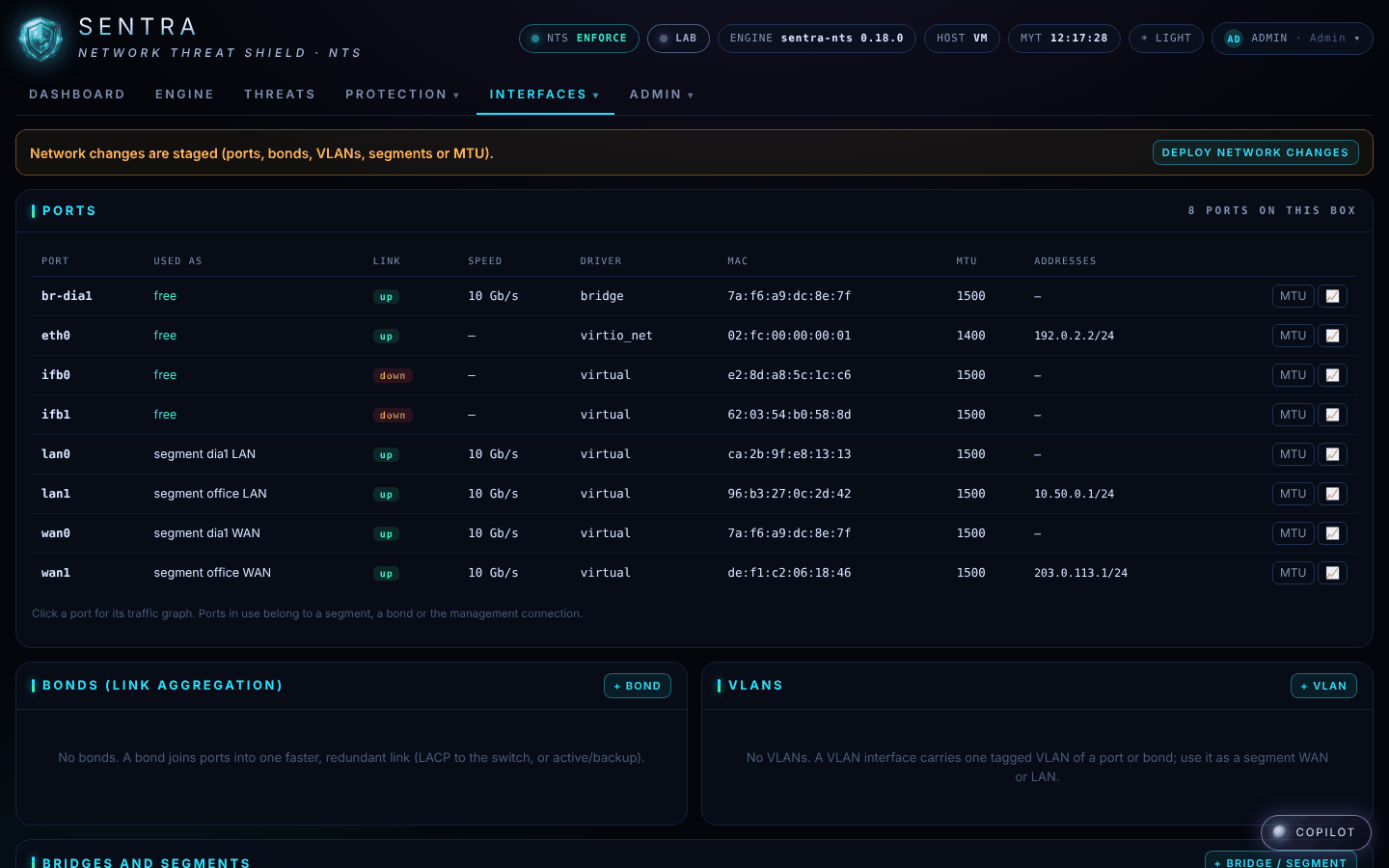
The dashboard's Traffic on every port shows traffic moving through WAN and LAN once cabled.